ShieldmyLinks vs Linktree: The Complete Comparison
Linktree is the default bio link tool. ShieldmyLinks is the security-first alternative, with passwords, expiry dates and bot protection on every link. An honest feature-by-feature breakdown.
The Default vs The Security-First Alternative
Linktree pioneered the bio link page and it remains the most-used tool for turning a single Instagram or TikTok link into a mini-website. But in 2026, when bot attacks on communities are systematic and geo-restrictions are legally required in some industries, "bio link page" is no longer enough.
ShieldmyLinks was built from the ground up with one principle: every link you share should be accessible only to real humans who are allowed to see it.
This comparison breaks down exactly where each tool shines, and where it falls short.
Feature-by-Feature Comparison
| Feature | ShieldmyLinks | Linktree |
|---|---|---|
| Bot protection (captcha) | ✅ reCAPTCHA v2/v3 | ❌ None |
| Geo-fencing (country access control) | ✅ Per-link allow/block lists | ❌ None |
| Password-protected links | ✅ Any password, checked on our server together with the captcha | ⚠️ Code Lock: a 4-digit numeric code (Pro and Premium) |
| Expiry date and opening date | ✅ Set when a link opens and when it closes; visitors see a countdown before it opens | ⚠️ Link scheduling on paid plans: shows or hides a button on your page |
| Bio link page (collections) | ✅ Yes | ✅ Yes |
| Personal mini page (photo, bio, socials, themes) | ✅ Yes, plus Markdown text pages | ✅ Yes |
| Bot vs human analytics | ✅ Blocked attempts tracked | ❌ No distinction |
| Custom branding (remove logo) | ✅ Premium | ✅ Pro+ |
| Custom domain | ✅ thislink.bio alias | ✅ Pro+ |
| Analytics | ✅ Country, device, browser | ✅ Basic on free, full on paid |
| Price (paid plan) | ✅ $99 / year | ⚠️ from $12 / month (billed annually) |
| Free tier | ✅ 3 links, 1 collection | ✅ Unlimited links |
| Platform integrations | ⚠️ Limited | ✅ Shopify, Mailchimp, 30+ |
| Template library | ⚠️ Themes | ✅ 40+ templates |
Where Linktree Wins
Ecosystem and integrations. Linktree connects to Shopify, Mailchimp, ConvertKit, TikTok Shop, and dozens of other platforms. If your primary goal is to drive traffic to your store or newsletter, Linktree's integration library saves real setup time.
Template library. Linktree offers 40+ polished templates and a drag-and-drop editor. If visual customisation matters more than security, Linktree gives you more design options out of the box.
Unlimited free links. Linktree's free tier lets you add as many links as you want to your bio page (with Linktree branding). ShieldmyLinks' free tier is limited to 3 protected links.
Where ShieldmyLinks Wins
Bot protection, the only bio link tool that has it. Every ShieldmyLinks protected link requires a human verification step before the destination is revealed. Linktree has none. If you've ever had a WhatsApp group, Discord, or event link flooded by bots, you know how expensive that is.
Geo-fencing. ShieldmyLinks lets you restrict any link to specific countries, or block specific countries. GDPR compliance, regional launches, event invites restricted to local attendees: all possible per link, not just per account.
Price. ShieldmyLinks Premium is $99/year (CHF 99 in Switzerland). Linktree Pro starts at $12/month when billed annually ($144/year), or $15/month billed monthly. ShieldmyLinks Premium costs about two-thirds of a year of Linktree Pro.
Bot analytics. ShieldmyLinks shows you not just how many people clicked, but how many bots were blocked. That data helps you understand how much bot traffic your links were attracting.
Password protection. Put a password on any link and visitors must enter it, together with the human check, before the destination is revealed. It is verified on our server, so skipping past the page does not skip the password, and we store it hashed. Linktree's Code Lock is a fair speed bump, but the code is 4 digits, numbers only, and the feature is on its Pro and Premium plans.
Expiry dates. Choose the moment a link opens and the moment it closes. Before it opens, visitors see a countdown instead of the destination. After it closes, the link simply stops working. Linktree's link scheduling shows or hides a button on your page, which does nothing about a destination URL that was already copied; here the destination itself stays sealed until the link is open.
More Than a Shield: Your Own Mini Page
ShieldmyLinks is not only for protecting one invite. The same bio-page builder works as a small personal page, the kind you would put in an Instagram or LinkedIn bio:
- A profile photo, a title and a short description
- Social icons for Instagram, TikTok, X, YouTube, LinkedIn, GitHub, Meetup, Eventfrog and your website
- Link buttons, images and section headings, in the order you choose
- Eight themes: Light, Dark, Blue, Sunset, Forest, Ocean, Midnight and Minimal
- A short address of your choice, such as shieldmylinks.com/your-name, and a QR code for it
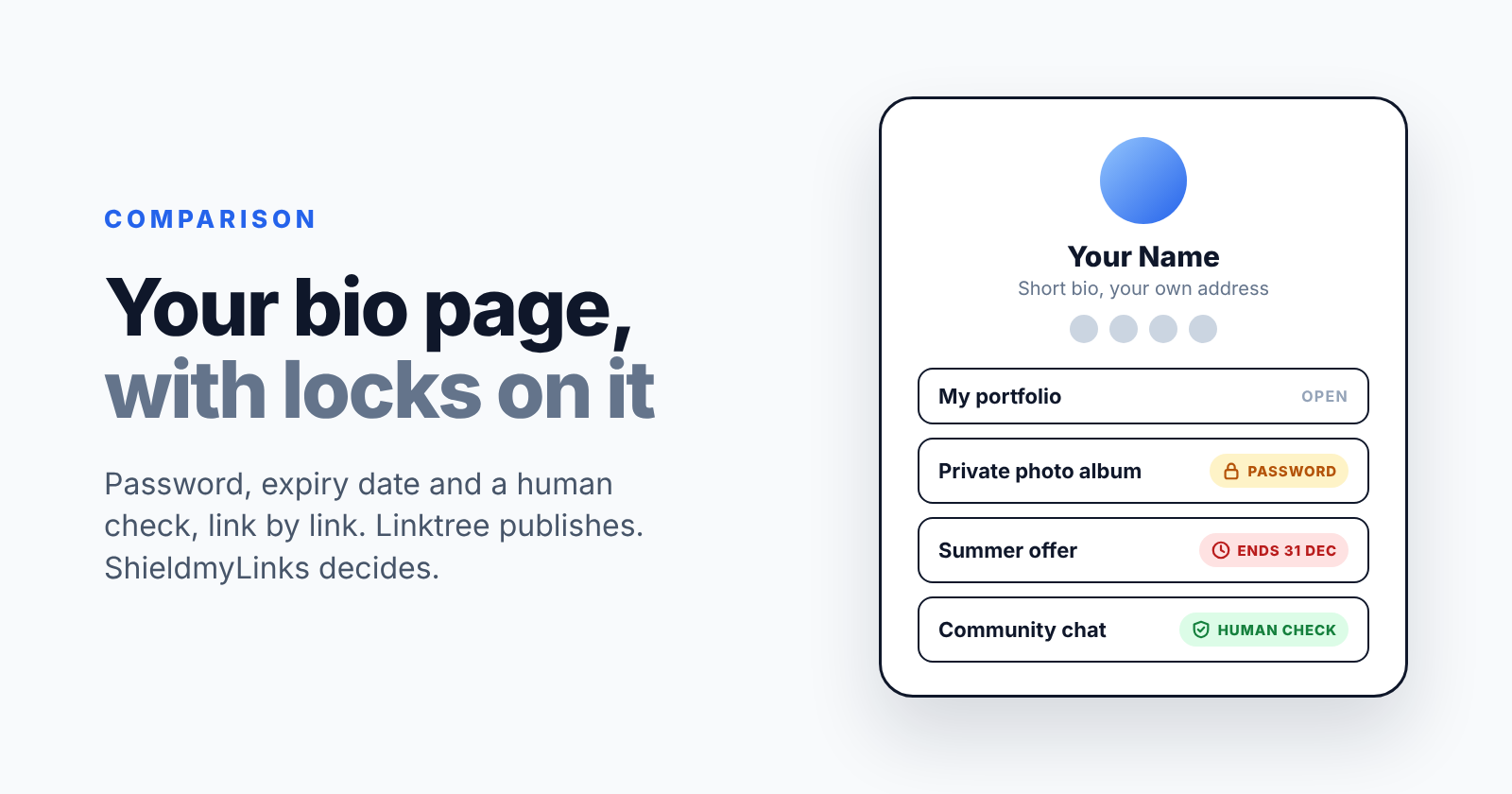
Two things make it different from a plain link page. First, you choose protection link by link: your portfolio can stay open, while the private photo album gets a password, the summer offer gets an end date and the community chat gets a human check. Second, you can write a text page: a short note in Markdown, such as a CV, an event programme or a price list, that is revealed once the visitor passes the check, instead of redirecting anywhere.
The free plan includes one bio page and three protected links.
Who Should Use Which?
Choose ShieldmyLinks if:
- You share invite links to communities, events, or gated content
- You've been hit by bot attacks or spam joins
- You need geo-fencing for legal or marketing reasons
- You want links that need a password, or that open and close on a date
- You want a simple personal page where some links are open and others are locked
- You want premium features without a $144/year bill
Choose Linktree if:
- You need deep e-commerce or email marketing integrations
- You want a polished visual editor with lots of templates
- You manage a high-volume public page and bot attacks aren't a concern
What It Saves in Practice
Take an online community of 50,000+ members in Zurich, run by about 40 moderators. Its WhatsApp groups sit behind protected links, with a human check and a country rule, instead of an admin approving every join by hand. Over July, August and September 2026, an average of about 220 people a month passed the check and received an invite.
Before, each of those people was a join request waiting in a queue, and handling one took more than a tap:
- The decision. One moderator reviews the request: about 1 minute.
- The chat. Some moderators texted the person first to ask who they were. If that was one request in four, at about 3 minutes each, it adds 45 seconds per request on average.
- The notification. All 40 moderators were notified of every request. At 5 seconds each just to see it and dismiss it, that is 3 minutes 20 seconds of team attention per request.
That is roughly 5 minutes per request. Multiplied by 220 requests, it comes to about 18 hours of moderator time every month, more than 200 hours a year. Leave the notifications out and count only the decision and the chat, and it is still about 6 hours a month.
These are estimates, not timings: the minutes per task are assumptions, and not everyone who receives an invite goes on to join, so the real figure is somewhat lower. The point is the shape of the saving. It grows with every new member and every new group, and it falls on the people who do this work for free.
Ready to protect your links
Protect your first link free, no credit card required.